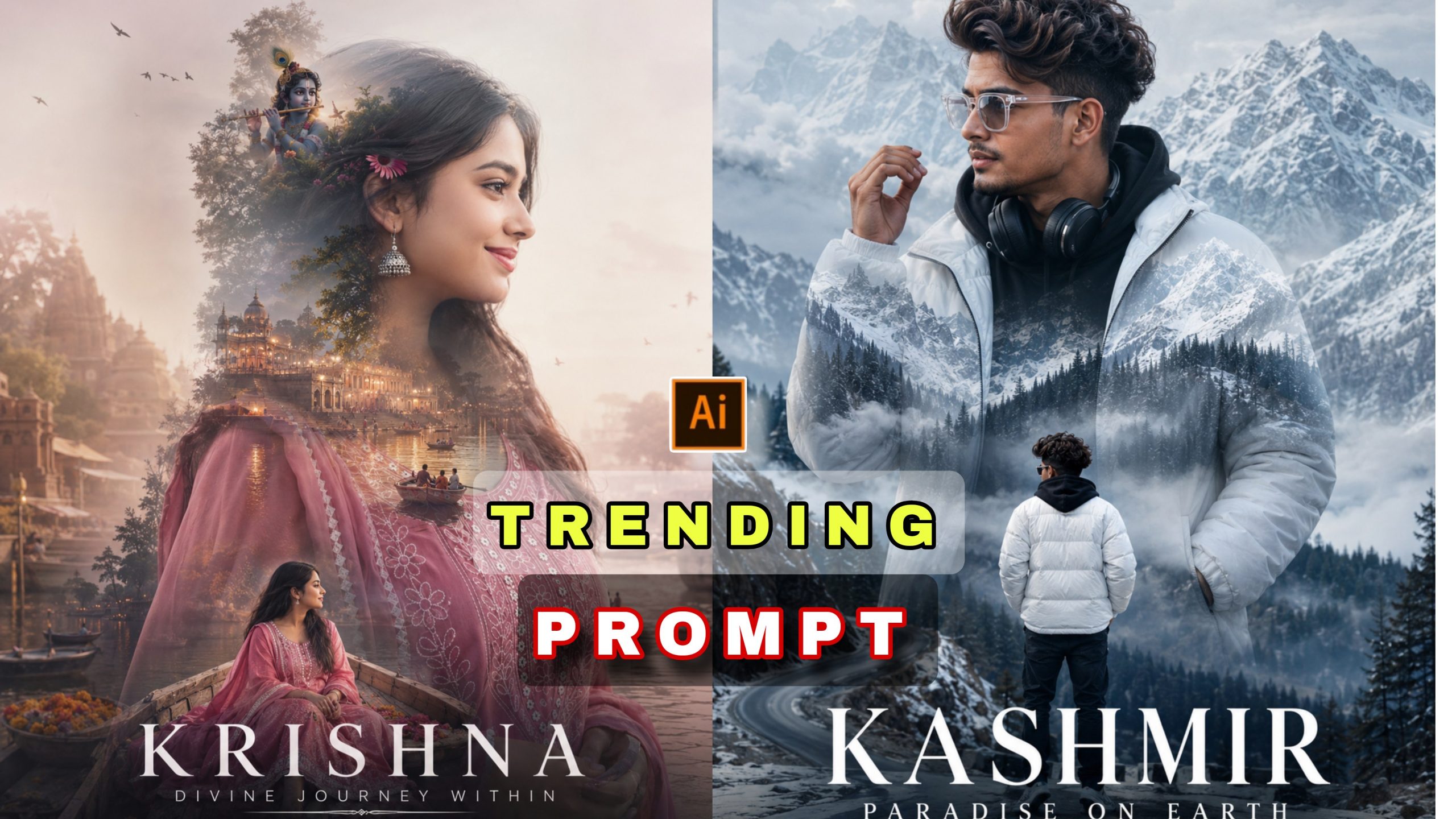
Aaj kal jab bhi hum Instagram Reels, Pinterest ya Facebook open karte hain, toh ek alag hi level ki travel photos viral hoti hui dikhti hain. Wo aam, sadhi photos nahi hotiं; unme ek cinematic kahani hoti hai, ek deep spiritual touch hota hai, aur sabse badi baat—wo dekhne mein ultra-premium lagti hain. Log aisi photos dekh kar hairan ho jaate hain ki aakhir aisi editing kis software se ho rahi hai.
Welcome to the new era of Trending Travel Photo Editing: The New Era of Viral Chat GPT Photo Editing. Ab AI (Artificial Intelligence) aur ChatGPT ne content creation ka poora game badal diya hai. Ab aapko ghanto computer ke samne baith kar boring tools seekhne ki bilkul zaroorat nahi hai. Sirf ek perfect text prompt aur aapki normal si photo convert ho sakti hai ek viral mastViralce meiGPTIs deep-dive article mein, hum baat karenge ki kaise aap is trend ka use karke apni social media profile ko boost kap sakte hain, accurate prompts kaise edit kiye jaate hain, aur AI visual tools se unique output kaise nikalte hain.
AI Aur ChatGPT Photo Editing Ka Craze Kyun Badh Raha Hai?
Pehle ke samay mein double exposure ya spiritual surreal art banane ke liye layers mask karna, blending modes ke sath ghanto khelna padta tha. Lekin ab, ChatGPT sirf text generate nahi karta, balki advanced AI image generators (jaise Bing Image Creator, Midjourney, ya specialized AI editing tools) ke liye accurate, hyper-realistic aur highly detailed visual prompts taiyar karta hai.
Is trend ka sabse bada fayda yeh hai ki yeh aapki emotion aur aapki travel destination dono ko ek single frame mein match kar deta hai. Jab aap kisi spiritual jagah jaise Tirupati, Vrindavan, Kedarnath, ya Banaras jaate hain, toh wahan ki vibes ko ek normal photo mein capture karna mushkil hota hai. Yahi par kaam aati hai AI-assisted photo editing, jo aapke face aur dress ko background ke sath seamlessly blend karke ek artistic poster look deti hai.
Viral AI Travel Posters Ke Master Prompts
Agar aapko is trend mein viral hona hai, toh aapko chahiye perfect, error-free AI prompts jo aapke face reference aur kapdon ko pehchan kar ek single silhouette (parchhai/side-profile) ke andar poospecialisedion ki khoobsurati ko embed kar dein. Niche do sabse zyada trending aur viral prompts diye gaye hain:
1. Tirupati Spiritual Travel Poster Prompt
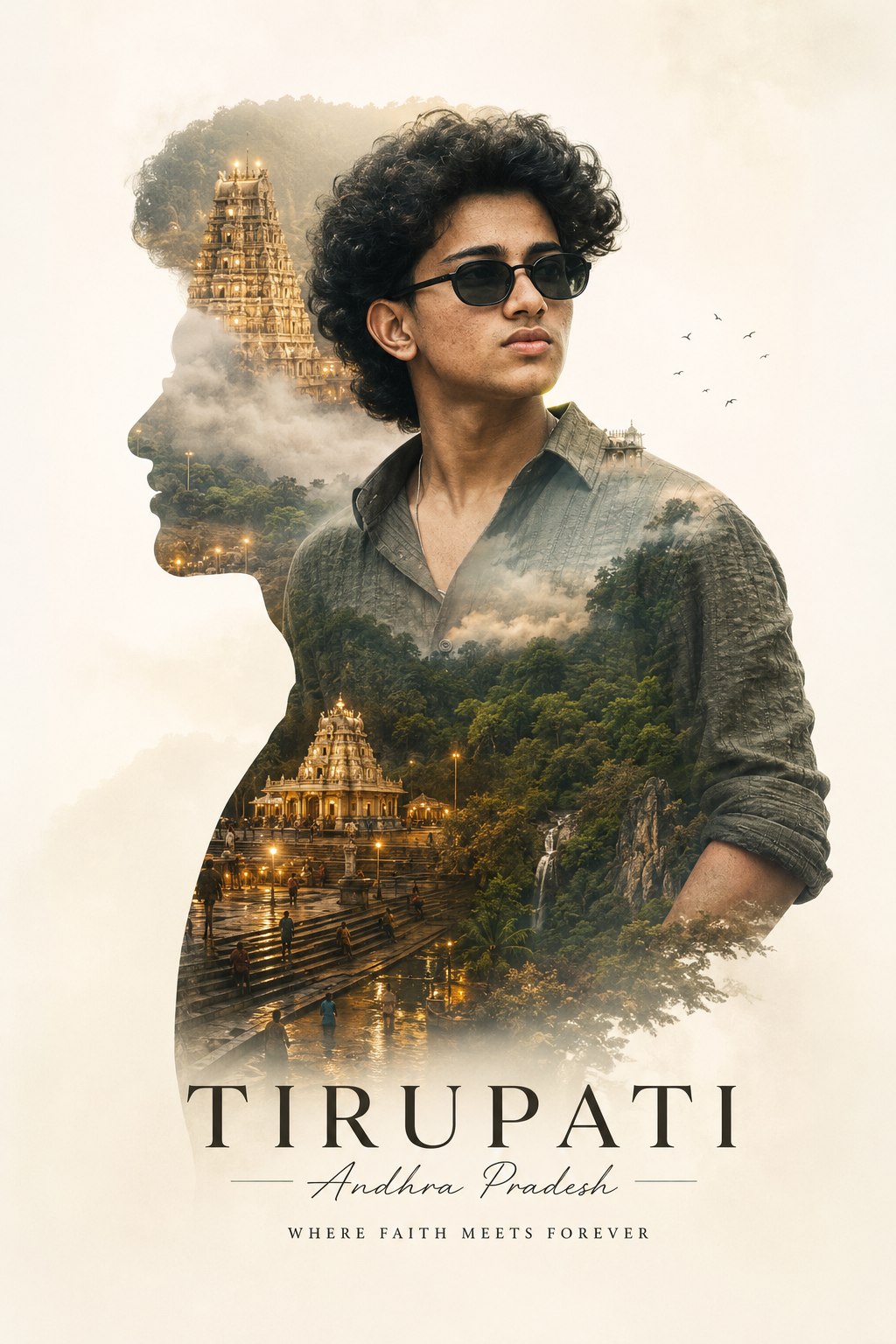
Prompt 1: A Uploaded image of the same dress. Create a minimalist, double-exposure spiritual poster for me. The main subject is a stylish Tirupati trip depicted inside a clean side-profile silhouette, clearly recognisable from the uploaded face reference. The traveller wears modern dress, the same silhouette, showing the glowing temple of Tirumala Tirupati temple naturally into the composition. Create a double exposure spiritual poster for me. The main subject is a stylish TIRUPATI, Andhra Pradesh, trip depicted inside a clean silhouette, clearly recognisable from the uploaded face reference. The traveller wears modern casual fashion and neat styling. Inside the silhouette, show glowing ghats, temple, Tirupati forest, and soft,t floating naturally into the composition, natural, realistic cinematic tones, soft fog, elegant typography, premium travel aesthetic, ultra-realistic double exposure effect, clean poster composition, emotional wanderlust atmosphere. Created by combining all the uploaded photos. 4K.5 Face Matching
2. Sri Krishna Vrindavan/Mathura Travel Poster Prompt

Prompt 2: A Uploaded image of the same dress. Create a minimalist double exposure spiritual poster day for me. The main subject is a stylish SRIKRISHNA trip depicted inside a clean side-profile silhouette, clearly recognisable from the uploaded face reference. The traveller wears a modern, same dress, the silhouette shows glowing, temple SRIKRISHNA forest naturally into the composition. Create a double exposure spiritual poster for me. The main subject is a stylish Srikrishna trip depicted inside a clean silhouette, clearly recognisable from the uploaded face reference. The traveller wears modern casual fashion and neat styling. Inside the silhouette, show glowing ghats, temple, SRIKRISHNA forest, and soft, naturally floating into the composition, natural, realistic cinematic tones, soft fog, elegant typography, premium travel aesthetic, ultra-realistic double exposure effect, clean poster composition, and emotional wanderlust atmosphere. Created by combining all the uploaded photos. 4K. 4:5 face matching.
AI Prompt Customise Kaise Karein? (Step-by-Step Process)
Bahut se log galti yeh karte hain ki wo prompt ko bina badle seedhe copy-paste kar dete hain, jisse unka output unique nahi banta. Agar aapko apni pasand ke mutabik photo chahiye, toh prompt ko customise karna seekhna hoga. Niche diye gaye steps ko dhyan se follow karein:
Step 1: Destination Aur Location Ka Naam Badlein
Agar aap Tirupati ya Vrindavan ke alawa kisi aur jagah gaye hain (jaise Kedarnath, Mahakal Ujjain, ya Varanasi), toh prompt mein jahan bhi TIRUPATI ya SRIKRISHNA likha hai, use hata kar apni location ka naam dalein.
Example: “stylish KEDARNATH trip depicted inside a clean silhouette… showing glowing temple of Kedarnath valley…”
Step 2: Outfit Aur Styling Details Add Karein
Prompt mein “modern casual fashion” ya “modern dress” likha hai. Agar aapne photo mein traditional kapde pehne hain (jaise Kurta-Pyjama ya Saree), toh use prompt mein specify karein taaki AI usko background ke sath sahi se blend kar sake.
Modification: “The traveller wears traditional Indian ethnic wear like a premium white kurta…”
Step 3: Atmosphere Aur Colours Ko Control Karein
Agar aapko photo mein “soft fog” (dhundh) nahi chahiye, ya aapko evening/sunset ki vibe chahiye, toh aap prompt ke aakhiri hisse ko badal sakte hain.
Modification: “soft fog” ko hata kar aap “golden hour lighting, warm sunset glow, dramatic clouds” likh sakte hain.
Step 4: Aspect Ratio Aur Quality Settings Check Karein
Prompt ke end mein 4:5 face matching aur 4K likha hai. Agar aapko short video templates ke liye full-screen image chahiye, toh aap wahan ratio ko 9:16 portrait format mein badal sakte hain.
ChatGPT Photo Editing Ko Next Level Par Le Jaane Ki Top Techniques
Sirf prompt badalna hi sab kuch nahi hota. Jab aap is concept par kaam kur rahe hain, toh kuch special factors aapki photo ko baki logo se alag banate hain:
Is editing ka main attractive part hota hai side-profile silhouette. AI tabhi ek perfect outline bana pata hai jab aapki uploaded original photo ka background thoda sa clean ho. Koshish karein ki aisi photo upload karein jisme aapka face side-angle (profile view) se saaf dikh raha ho.
2. Emotional Wanderlust Atmosphere CreatAnd
Travel photos tabhi viral hoti hain jab wo viewers ke dil ko chu lein. Apne prompts mein hamesha cinematic keywords jaise emotional wanderlust, dramatic lighting, spiritual aura, ethereal glowing effect ka use karein. Yeh words AI generator ko normal colors ke bajaye premium mood-toned colors use karne par majboor karte hain.
3. Face Reference Matching and Blending
Jab AI aapke face ko design karta hai, toh kabhi-kabhi wo face features ko distort kar deta hai. Isse bachne ke liye hamesha high-quality, unedited image reference ka istemal karein. Face matching options ko hamesha enable rakhein taaki final poster mein aapka real look barqarar rahe.
Bonus Tip: Advanced Aspect Ratio Hack
Agar aap in photos ko content creation ya website banners ke liye use kar rahe hain, toh hamesha generator tool mein aspect ratio ka dhyan rakhein. Square (1:1) ke bajaye 4:5 ya 16:9 custom ratios ka use karne se graphics ke pixels stretch nahi hote aur details ekdum crisp 4K resolution mein save hoti hain.
Common Mistakes Beginners Should Avoid
Agar aap is field meicolours hain, toh in aam galtiyon se bachein taaki aapka output unprofessional na lage:
Low-Resolution Face References: Agar aapki uploaded photo dhundhli hai, toh AI face matching ke baad output bilkul fake ya distorted lagega. Humesha clear, well-lit headshots ka hi use karein.
Over-Editing and Extreme Saturation: Har effect ko 100% par rakhna zaroori nahi hai. Minimalist art tabhi sundar lagta hai landscape aur portraits mein jab usme thoda breathing space ho.
Prompt Cluttering: Ek hi prompt mein bohot saari alag-alag locations ya styles ka naam mat likhein. Isse AI confuse ho jata hai aur output kharab ho jata hai. Clear aur focused keywords hi use karein.
Conclusion
Trending Travel Photo Editing: The New Era of viral Chat Gpt Photo Editing ne graphics aur content creation ka poora nazaara badal diya hai. Sahi se prompts ko customise kijiye, errors se bachein, aur naye trends par regular practice karte rahiye. Aapka agla travel poster internet par dhoom machane ke liye bilkul ready hai
!