
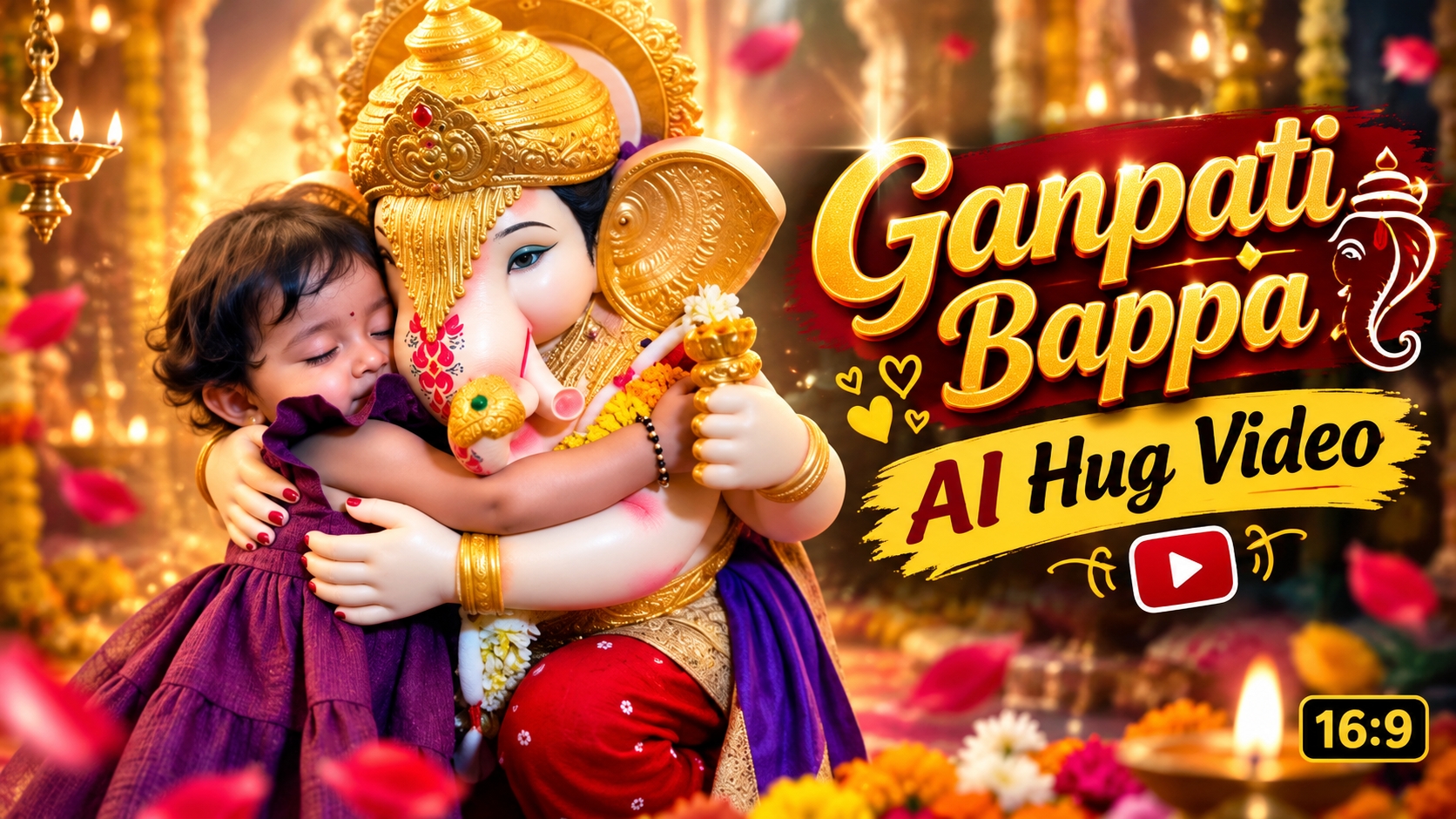
Ganpati Bappa AI Hug Video Editing Prompt 2026: Step-by-Step Guide for Viral Reels
Aaj ke digital era mein social media par devotional content ka craze kaafi tezi se badh raha hai. Har koi apne social media handles—chahe wo Instagram Reels ho ya YouTube Shorts—par unique aur engaging devotional videos post karna chahta hai. Aaj kal ek naya trend tezi se viral ho raha hai: Ganpati Bappa AI Hug Video. Is trend mein log Bappa ke sath apni ek normal photo ko AI ki madad se ek realistic, heartwarming video mein convert kar rahe hain, jisme Ganpati Bappa unhe aashirwad dete hue gale lagate (hug karte) nazar aate hain.
Pehle is tarah ke cinematic visual effects banane ke liye high-end computer setups, complex 3D VFX software aur ghanto ki visual rendering ki zaroorat padti thi. Lekin 2026 ke modern generative AI video tools ne is pure workflow ko behad aasan aur accessible bana diya hai. Ab koi bhi creator, chahe wo beginner hi kyu na ho, sirf ek click aur ek powerful text prompt ki madad se aisa photorealistic devotional video generate kar sakta hai.
Is comprehensive guide mein hum detail mein cover karenge ki ye trending visual concept kya hai, iske liye aapko kin basic cheezo ki zaroorat padegi, aur kaise aap hamare provide kiye gaye Google AI prompt ka use karke ek realistic Bappa hug video bana sakte hain.
Ganpati Bappa AI Hug Video Trend Kya Hai?
Yeh trend basically ek advanced Image-to-Video AI animation technique hai. Isme user apni aur Ganpati Bappa ki ek static (sthir) photo ko video generator tool mein upload karta hai. Uske baad ek specific text prompt ke zariye AI tool ko instruct kiya jata hai ki wo image ke elements ko seamlessly animate kare, bina unke natural look ko distort kiye.
Result ke roop mein ek 9:16 vertical video generate hota hai, jisme devotee dheere-dheere Bappa ke paas jata hai aur Ganesh Ji prem-purvak apne dono haath aage badha kar use gale se laga lete hain. Is video ka visual tone deeply emotional, cinematic aur divine lagta hai. Yahi devotional aura audience ko visual taur par connect karta hai, jiski wajah se aisi reels par millions of views aur organic engagement dekhne ko milte hain.
AI Hug Video Banane Ke Liye Zaroori Requirements
Process shuru karne se pehle ye ensure kar lein ki aapke paas niche di gayi basic requirements ready hain:
Clear and High-Resolution Photo: Ek saaf, well-lit photo jisme aap aur Ganesh Ji ki murti (idol) clearly visible ho. Image blurry ya pixelated nahi honi chahiye.
Google AI Video Generation Tool: Tool ka active access jahan image-to-video generation support hota ho.
Precise Video Prompt: Ek optimised textual prompt jo AI ko human body anatomy, lighting aur smooth motion ke correct parameters instruct kare.
Smartphone ya PC with Internet Connection: Video generation cloud servers par execute hota hai, isliye stable internet connection zaroori hai.
Basic Video Editor (Optional): CapCut, VN Editor ya Instagram Editor, taaki aap final video mein background devotional audio aur subtle colour grading add kar sakein.
Step 1: Ek Perfect Base Photo Click Aur Select Karein
AI tool kitna natural video banayega, ye 80% depend karta hai aapke uploaded photo ke composition par. Isliye photo click ya choose karte waqt in aspects ka dhyan rakhein:
Subject Framing: Photo hamesha vertical 9:16 aspect ratio mein rakhein taaki frame mobile screen ke according optimise rahe.
Proper Positioning: Photo mein aap Ganesh Ji ki murti ke bilkul paas khade ya baithe hone chahiye. Dono characters ke beech bohot zyada distance nahi hona chahiye.
Lighting & Shadows: Natural daylight ya soft indoor lighting prefer karein. Harsh shadows ya overexposed pictures se AI face distortion create kar sakta hai.
Natural Expression: Ek innocent aur devotional expression rakhein, taaki video motion ke dauran body language authentic lage.
Agar aapke paas already aisi photo nahi hai, to aap Royeditzin website par jakar Ganpati photo generation ke trending visual prompts ki madad se pehle realistic base image create kar sakte hain, aur fir use video ke liye use kar sakte hain.
Step 2: Google AI Video Tool Open Karein Aur Image Upload Karein
Base photo ready hone ke baad execution stage shuru hoti hai:
Apne browser mein Google AI ke official video creation portal par jayein.
Apna account sign in karein taaki generation queue access ho sake.
Dashboard par Image to Video ya Upload Image section par click karein.
Apni selected photo ko choose karke upload hone dein. Make sure image bina compress hue original quality mein upload ho.
Step 3: Exact Master Video Prompt Copy Aur Paste Karein
AI tool bina detailed instructions ke characters ke chehre ya haath kharab kar sakta hai. Is problem se bachne ke liye aur perfect photorealistic cinematic animation pane ke liye aapko specialised prompt use karna hoga.
Aap sidhe royeditz.in official website par jakar latest visual prompts copy kar sakte hain, ya niche diye gaye exact prompt ko copy karke prompt box mein paste kar sakte hain:
Create a photorealistic cinematic devotional video from the uploaded image. IMPORTANT: Use the uploaded image as the ONLY visual reference. Preserve every person, Ganesh Ji idol, clothing, jewelry, decorations, background, environment, colors, facial identity and composition exactly as shown in the uploaded image. Do not replace, redesign or alter the characters. The person in the uploaded image slowly moves closer toward Ganesh Ji with a natural, innocent and emotional expression. Ganesh Ji then gently extends His arms toward the person and lovingly embraces them in a warm, natural and emotional hug. The person naturally wraps both arms around Ganesh Ji and gently rests their head against Him. Hold the hug for a beautiful emotional moment. The hug must look physically natural and believable, as if Ganesh Ji is lovingly blessing and embracing the person. Maintain the exact appearance of Ganesh Ji’s face, trunk, crown, ornaments, clothes, garlands and body structure from the uploaded image throughout the entire video. Do not change the idol’s design or identity. Keep the person’s exact face, hairstyle, skin tone, clothes and identity unchanged. No face morphing, no identity change and no outfit change. Use smooth realistic arm and hand movement with anatomically correct hands and fingers. No extra fingers, missing fingers, distorted hands, duplicated limbs, floating objects or unnatural body deformation. Keep the original background and camera composition consistent. Add only subtle natural movement, realistic fabric movement, gentle breathing and a slight cinematic camera movement. The overall feeling should be deeply emotional, peaceful, devotional and heartwarming, with realistic lighting, natural shadows and high-detail photorealistic textures. ONE CONTINUOUS SHOT. Smooth beginning-to-end motion. No cuts, no scene changes, no additional people, no duplicate characters, no text, no subtitles, no watermark. Vertical 9:16 format. The final video should look like a realistic emotional Ganesh Ji hug moment created directly from the uploaded photo.
Ye prompt AI ke neural network ko specifically command deta hai ki:
Chehre aur kapde morph na ho.
Ungliyan aur haath distorted na bane.
Camera cut ke bina ek single smooth devotional shot deliver ho.
Step 4: Generation Process Start Karein Aur Video Download Karein
Prompt box mein text paste karne ke baad verify kar lein ki saari lines properly enter hui hain.
Ab neeche diye gaye Generate, Process, ya Enter button par click karein.
Cloud AI model frame-by-frame rendering start karega. Isme server speed ke according typically 1 se 3 minute ka samay lagta hai.
Render complete hote hi video preview play karke check karein ki arm movement smooth hai ya nahi.
Quality satisfy hone par Download 1080p (HD) button par click karke video ko apne device mein save kar lein.
Bonus Editing Tips: Video Ko Viral Kaise Banayein?
Raw AI video ko directly post karne ke bajaye thoda sa visual polish dene se engagement rate double ho sakta hai:
Trending Devotional Audio: Video ko kisi bhi popular mobile editor (jaise VN ya CapCut) mein import karein aur background mein ek soft, emotional Shehnai, Flute, ya Ganpati mantra ka trending soundtrack link karein.
Warm Cinematic Grading: Video ke temperature ko halka sa warm side par (+3 to +5) shift karein aur contrast ko balance karein. Isse traditional Indian festive lighting aur realistic look nikal kar aata hai.
Subtle Slow Motion: Hug wale emotional impact point par playback speed ko 0.85x kar dein, jisse viewer ka visual connection frame par lamba ruke.
Conclusion
Ganpati Bappa AI hug video trend devotion aur modern technology ka ek behtareen combination hai. AI prompts ke regular use se aap regular photos ko engaging cinematic visual stories mein badal sakte hain. Bas upar bataye gaye step-by-step framework ko follow karein, clean prompt deploy karein, aur high-quality content publish karke apne editing skillset ko upgrade karein.