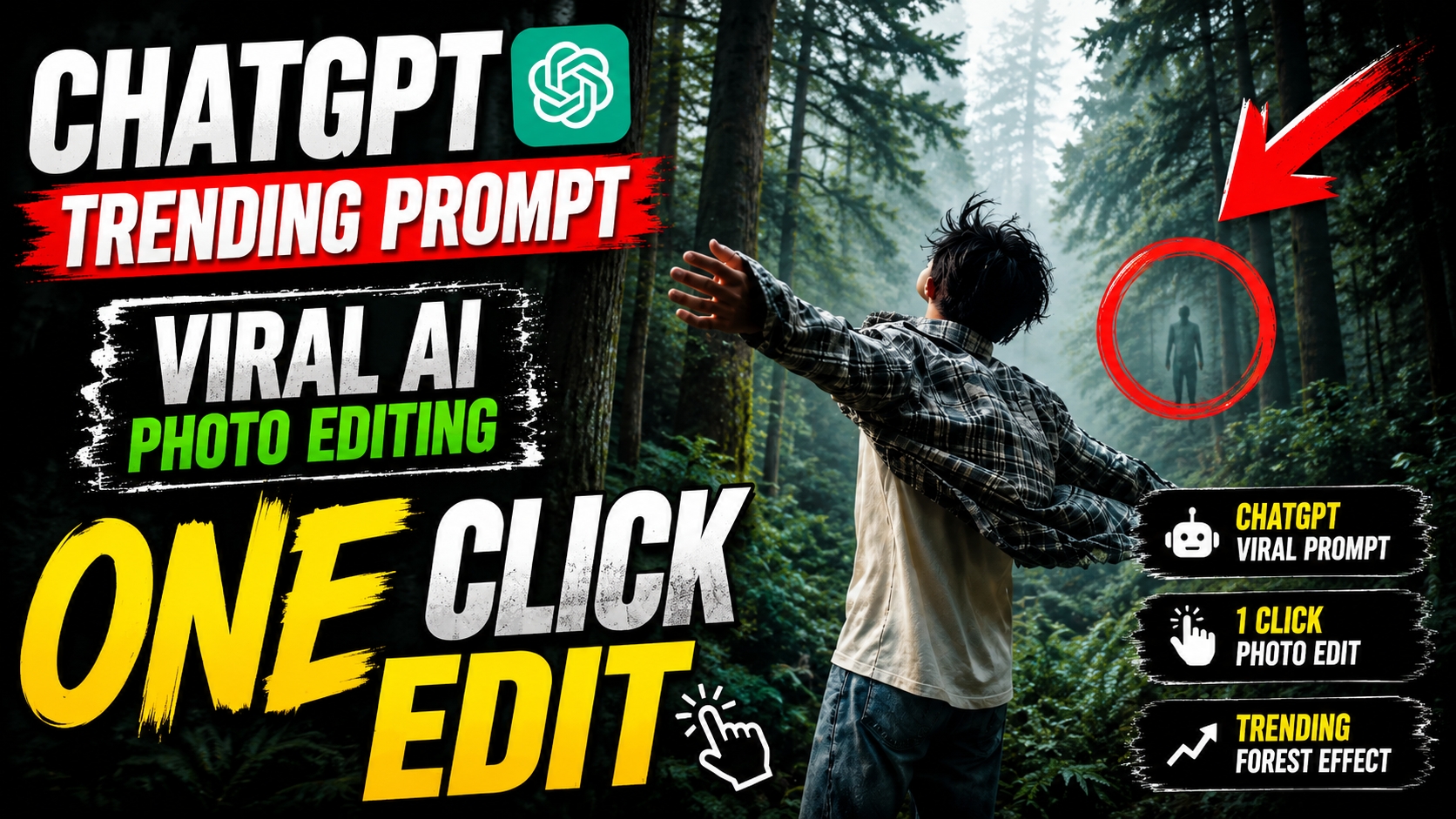
Digital duniya mein jahan har din lakho photos upload hoti hain, wahan apni image ko stand out karwana kisi challenge se kam nahi hai. Aaj kal social media par ek trend bahut tezi se viral ho raha hai, aur wo hai Moody Forest Aesthetic. Sochiye, aapki ek simple si photo kisi ghane, rahasyamayi aur cinematic jungle ke background mein set ho jaye, jahan kohre (fog) ke beech se roshni ki halki kirnein aa rahi hon. Ye sab ab sirf imagination nahi raha; advanced AI tools ki madad se ise haqeeqat mein badalna behad aasan ho gaya hai.
Is detailed guide mein, main aapke sath ek highly premium Moody Forest Aesthetic AI Photo Editing Prompt share karne wala hoon. Iske alawa, main aapko step-by-step yeh bhi sikhaunga ki is prompt ko apni pasand ke anusar customise kaise karein, taaki aapki photo ko ek perfect Ultra Realistic Cinematic Look mil sake.
Moody Forest Aesthetic Aur Cinematic Look Ki Asliyat Kya Hai?
Editing ki bhasha mein, Moody Forest Aesthetic ka matlab ek aisi visual style se hai jisme dark, rich aur earthy tones (jaise dark green, brown, aur teal) ka istemal hota hai. Isme shadows aur fog ka combination ek aisi mysterious vibe create karta hai jo dekhne wale ko seedha photo ke andar kheench leta hai.
Sath hi, Ultra Realistic Cinematic Look ka arth hai ki aapki photo aisi lage jaise use kisi high-budget Hollywood movie ke set par ek professional DSLR camera se shoot kiya gaya ho. AI image generation ki power se ab hum words (text prompt) ke zariye is exact atmosphere ko recreate kar sakte hain.
The Masterpiece: Moody Forest Aesthetic AI Photo Editing Prompt
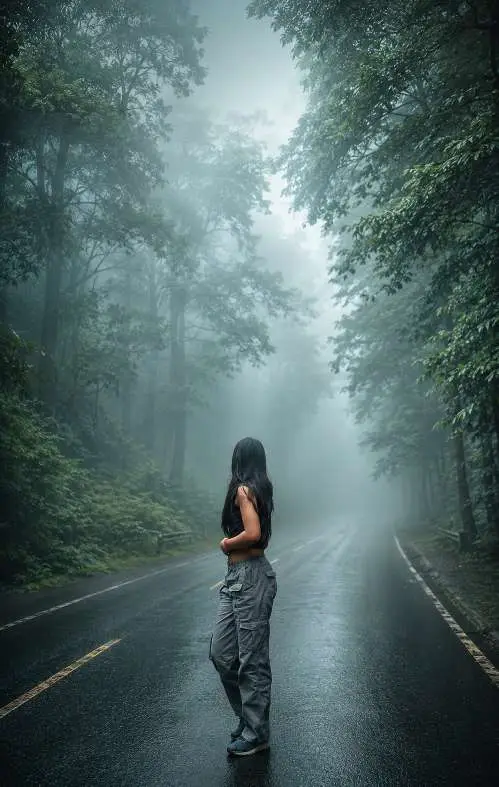
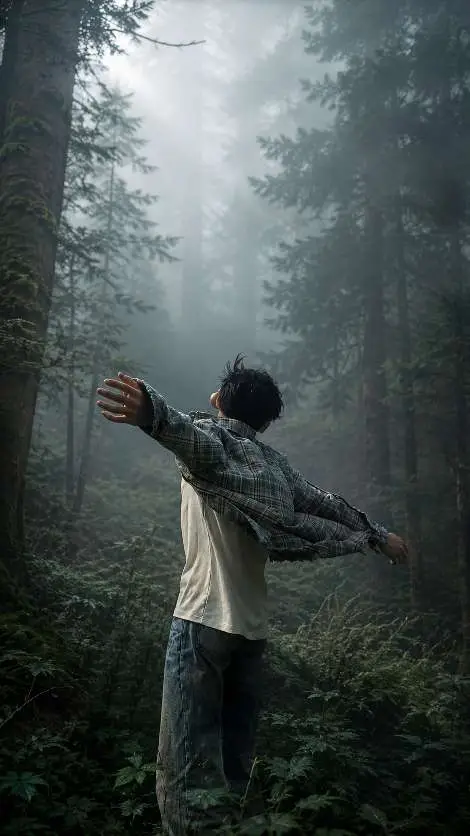
Dosto, AI tools utne hi smart hote hain jitna smart aapka prompt hota hai. Ek perfect photo generate karne ke liye aapko AI ko ekdum clear instructions dene hain. Niche diya gaya prompt specially design kiya gaya hai jisme aapki original pose aur body angle 100% safe rahegi, jabki background ek jabardast cinematic forest mein badal
Aapka Premium AI Prompt:
Copy Prompt’
Transform this image into a breathtaking ultra-realistic foggy forest masterpiece. Add dense natural white fog covering the entire environment, creating a mysterious and cinematic atmosphere. Apply rich forest-inspired color grading with deep emerald green, dark teal, moss green, and earthy brown tones. Enhance the trees, foliage, and background elements to resemble a lush enchanted forest hidden in the mist. Introduce soft volumetric light rays subtly penetrating through the fog, creating depth and realism. Increase overall image quality to ultra-high-definition 4K resolution with razor-sharp details, HDR enhancement, realistic textures, balanced contrast, and natural color harmony. Improve shadows, highlights, and dynamic range while maintaining a realistic appearance. Add a moody woodland aesthetic, dreamy fog layers, atmospheric perspective, and professional cinematic photography grading. The final result should look like a premium DSLR forest photograph captured during a cold misty morning, with ultra-realistic details, immersive depth, soft natural lighting, and stunning visual quality. Style: Cinematic Forest Photography, Moody Nature, Dense Fog Weather, Volumetric Lighting, HDR, Ultra Realistic, Professional Color Grading, 4K Quality, DSLR Shot, Atmospheric Depth, Photorealistic. Most important : don’t change my pose or body angle keep it 100% lock
Copy Prompt’
Transform this image into a breathtaking ultra-realistic foggy forest masterpiece. Add dense natural white fog covering the entire environment, creating a mysterious and cinematic atmosphere. Apply rich forest-inspired color grading with deep emerald green, dark teal, moss green, and earthy brown tones. Enhance the trees, foliage, and background elements to resemble a lush enchanted forest hidden in the mist. Introduce soft volumetric light rays subtly penetrating through the fog, creating depth and realism. Increase overall image quality to ultra-high-definition 4K resolution with razor-sharp details, HDR enhancement, realistic textures, balanced contrast, and natural color harmony. Improve shadows, highlights, and dynamic range while maintaining a realistic appearance. Add a moody woodland aesthetic, dreamy fog layers, atmospheric perspective, and professional cinematic photography grading. The final result should look like a premium DSLR forest photograph captured during a cold misty morning, with ultra-r
Apne Hisaab Se Is Prompt Ko Customise Kaise Karein? (Step-by-Step Process)
Har photo ki zarurat alag hoti hai. Ek true editor wahi hai jo prompt ko apne imagination ke hisaab se tweak (change) karna janta ho. Yahan main aapko sikhata hoon ki aap is prompt ko customise kaise kar sakte hain:
Step 1: Mood Aur Time Of Day Ko Change Karein
Upar diye gaye prompt mein “cold misty morning” likha hai. Agar aapko ek alag vibe chahiye, toh aap is keyword ko badal sakte hain.
- Sunset Look ke liye: Ise change karke “Golden hour sunset with warm orange lighting” likhein.
- Night/Horror Look ke liye: Ise “Dark midnight forest with subtle moonlight glowing through trees” se replace karein
Step 2: Colour Palette Ko Customise Karein
Prompt mein “deep emerald green, dark teal, moss green, and earthy brown tones” ka use hua hai. Aap apni dress ya mood ke hisaab se colors badal sakte hain.
- Autumn (Patjhad) Look: Isko “warm autumn tones with rusty orange, deep red, and golden yellow leaves” kar dein.
- Winter (Sardi) Look: Ise “icy blue, stark white, and cool cyan tones with snow-covered branches” mein badal dein.
Step 3: Fog (Kohra) Ki Density Set Karein
Agar aapko photo mein aapka background zyada clear chahiye, toh “dense natural white fog” ko modify karein
- .Kam Kohre ke liye: “Light morning mist fading into the background” likhein.
- Mystical Look ke liye: “Glowing magical blue fog” try karein.
Step 4: Lighting Style Badlein
Humne “soft volumetric light rays” use kiya hai. Ise aur dramatic banane ke liye aap “harsh cinematic spotlight” ya “ethereal glowing fireflies lighting” jaise words add kar sakte hain. Is tarah ke chote-chote badlaav aapki photo ko lakho mein ek bana denge.
Prompt Ko AI Tool Mein Apply Karne Ka Sahi Tarika
Is prompt ko sahi dhang se use karne ke liye, Photoshop Generative Fill, Photoroom, ya EPIK AI jaise reliable tools ka istemal karein.
- High-Quality Image Select Karein: Hamesha aisi photo chunein jiska lighting aur focus sharp ho.
- Image Upload Karein: Apne AI editor ke ‘AI Replace’ ya ‘Image to Image’ section mein photo upload karein.
- Prompt Paste Karein: Upar diye gaye prompt ko (apni pasand ke customisation ke sath) text box mein paste karein.
- AI Strength Set Karein: Yeh bahut important hai! Apne character ko save rakhne ke liye Image Strength ko 60-70% ke beech rakhein.
Generate & Repeat: Agar first result pasand na aaye, toh 2-3 baar generate karein taaki AI aapko best variations de sake.
Bonus Tip: Lightroom Mobile Se De Ek Pro Finish
AI se photo generate karne ke baad, Lightroom Mobile aapka sabse bada hathiyar hai. Apni photo ko import karein aur Effects panel mein jaakar ‘Dehaze’ ko thoda sa minus (-10) karein, isse fog aur zyada natural lagega. Uske baad Colour Grading tool Colourr Wheels) mein jakar Shadows ko halka sa ‘Teal’ (blue) tint dein aur Highlights ko ‘Orange’. Yeh classic Teal & Orange cinematic look AI ke fake elements ko hide kar dega aur aapki photo ko ekdum premium magazine cover jaisa bana dega.
Conclusion
Ek professional photo create karna ab sirf expensive cameras aur studios tak seemit nahi hai. Sahi Moody Forest Aesthetic AI Photo Editing Prompt aur thodi si creativity ke sath, aap apne smartphone se hi ek Ultra Realistic Cinematic Look achieve kar sakte hain. Upar bataye gaye step-by-step customisation process ko try karein aur apne results ke sath experiment karte rahein. Yaad rakhein, practice hi aapko ek behtar editor banayegi. Happy Editing!