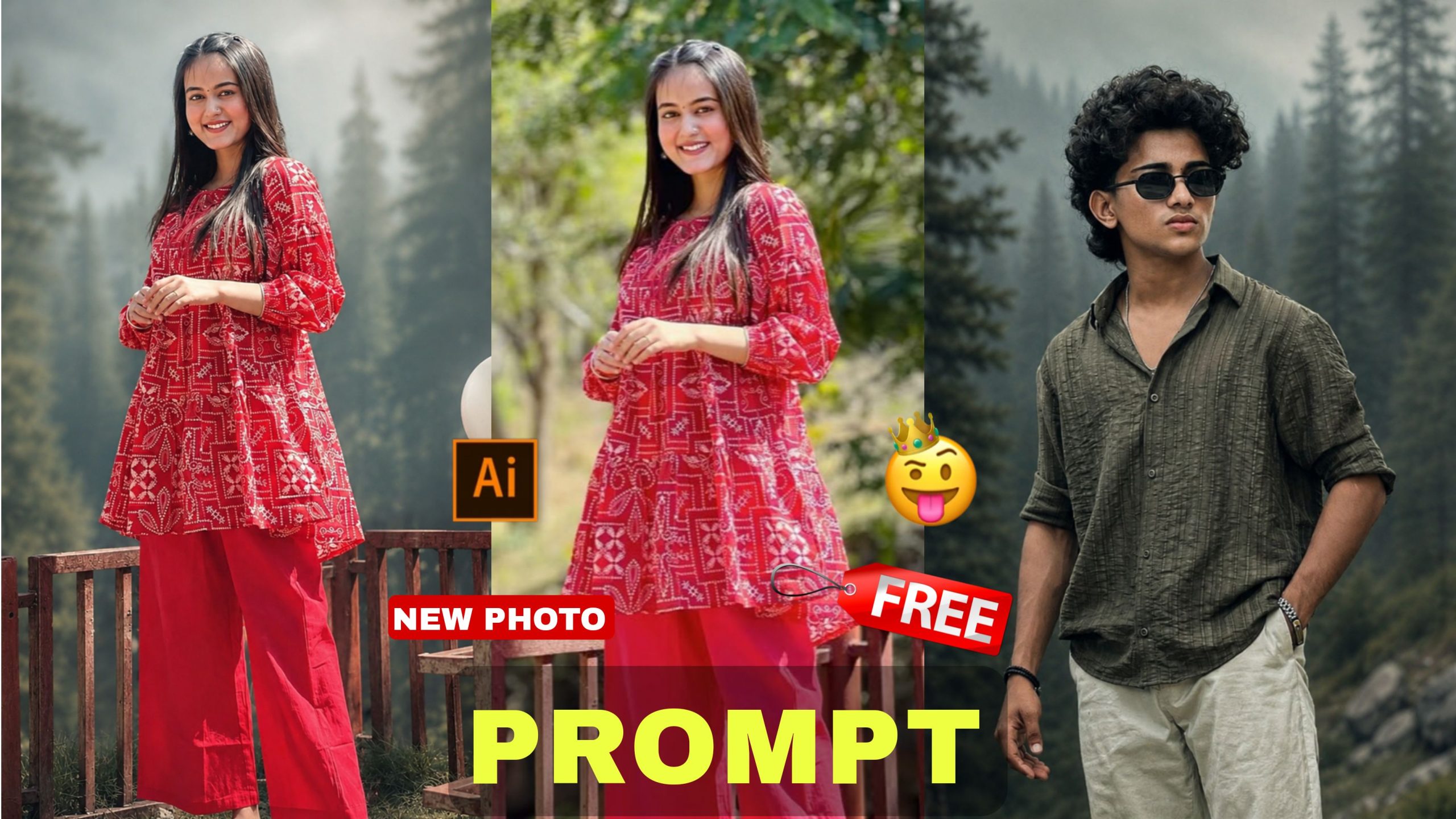
Aaj ke digital content creation ke daur mein, har ek creator chahta hai ki uski photos aur videos social media par alag hi shine karein. Instagram Reels, YouTube Shorts, aur Facebook par har din naye trends bante aur tootate hain. Lekin ek aisa trend hai jo kaafi samay se lagatar viral chal raha hai, aur wo hai cinematic moody forest look aur rain style background. Agar aap bhi apni normal pictures ko ek high-end premium look dena chahte hain, toh aap bilkul sahi jagah par aaye hain
Is detailed article mein, hum baat karne wale hain New Trading Nature climatic And rain style Chat GPT Viral Prompt Photo Editing ke baare mein. Hum samjhenge ki kaise aap advanced AI prompts ka use karke apni simple images ko ultra realistic 4K quality cinematic art mein badal sakte hain. Yeh guide poori tarah se beginner-friendly hai aur isme diye gaye steps aapko ek professional level ka result generate karne mein help karenge.
Cinematic Moody Aur Nature Climatic Trend Kya Hai?
Sabse pehle yeh samajhna zaroori hai ki yeh trend itna zyada popular kyun hai. Aaj kal log bright aur over-saturated colours se thoda bore ho chuke hain. Ab ka daur muted colours, deep shadows, aur foggy atmosphere ka hai.
Jab aap ek dark green pine forest background ke sath halka sa background haze aur cool green and grey tones add karte hain, toh photo mein ek mysterious aur cinematic feel paida hoti hai. Isi ko hum nature climatic and rain style editing kehte hain. Is style ki sabse badi khasiyat yeh hai ki yeh viewers ka dhyan turant apni taraf kheencha karti hai, jisse aapke content ki engagement rate kaafi high ho jaati hai.
The Viral Chat GPT Prompts (Copy & Paste)
Yahan main aapko do sabse powerful aur highloptimiseded prompts de raha hoon. Inhe aap kisi bhi advanced AI image generation tool mein use kar sakte hain. Yeh prompts is tarah design kiye gaye hain ki aapka original face aur outfit bilkul safe rahe aur poora background change ho jaye.
Viral Prompt -1
Cinematic moody fores color grading, dark green pine forest background, muted colors, soft matte finish, deep shadows, low saturation, foggy atmosphere, cool green and grey tones, faded blacks, high contrast subject, subtle film grain, dreamy depth, soft natural light, teal and olive color palette, professional reel look, aesthetic Instagram cinematic edit, ultra realistic, sharp subject, background haze, 4K quality.IMPORTANT: Keep the exact same person, face, hairstyle, pose, body shape, and clothing unchanged. The subject must wear the same original outfit/dress as in the reference image. Do not change, replace, redesign, recolor, or generate a new outfit. Preserve all clothing details, fabric, patterns, logos, accessories, and fit exactly as they are. Only apply cinematic color grading and background atmosphere. No wardrobe changes, no costume changes, no fashion alterations.”
Viral Prompt 2
Cinematic moody forest color grading, dark green pine forest background, muted colors, soft matte finish, deep shadows, low saturation, foggy atmosphere, cool green and grey tones, faded blacks, high contrast subject, subtle film grain, dreamy depth, soft natural light, teal and olive color palette, professional reel look, aesthetic Instagram cinematic edit, ultra realistic, sharp subject, background haze, 4K quality.IMPORTANT: Keep the exact same person, face, hairstyle, pose, body shape, and clothing unchanged. The subject must wear the same original outfit/dress as in the reference image. Do not change, replace, redesign, recolor, or generate a new outfit. Preserve all clothing details, fabric, patterns, logos, accessories, and fit exactly as they are. Only apply cinematic color grading and background atmosphere. No wardrobe changes, no costume changes, no fashion alterations.
Step-by-Step Process: Prompt Ko Kaise Customise Karein?
Har ek creator ki photo alag hoti hai, aur unki choice bhi alag hoti hai. Agar aap upar diye gaye viral photo editing prompt ko customise karke apna ek personal touch dena chahte hain, toh aap is simple step-by-step process ko follow kar sakte hain:
Step 1: Background Environment Ko Change Karein
Upar diye gaye prompt mein humne dark green pine forest background ka use kiya hai. Agar aapko forest ki jagah koi aur nature location chahiye, toh aap is part ki jagah niche diye gaye options likh sakte hain:
• Misty mountain peak background (pahadon wala look)
• dark cinematic old street background (vintage road look)
• overcast deep jungle waterfall background (jharne wala look)
Step 2: Weather Aur Climatic Conditions Ko Adjust Karein
Humaray main keyword ka hissa hai rain style photo editing. Agar aap weather ko aur zyada intense ya soft banana chahte hain, toh aap foggy atmosphere ke sath ya uski jagah par yeh keywords badal sakte hain:
• Heavy Rain style: heavy rain drops, wet ground reflections, water droplets on the lens
• Mild Storm style: windy weather, dramatic dark storm clouds, dynamic atmosphere
• Winter Mist style: dense winter fog, heavy frost atmosphere, low visibility
Step 3: Colour Palette Aur Grading Badalna
Humein is prompt mein teal and olive colour palette ka use kiya hai jo ek modern professional reel look deta hai. Agar aapko koi dusri colour scheme pasand hai, toh aap use yahancustomisee kar sakte hain:
• Warm Autumn Look: warm orange and brown colour palette, golden hour highlights
• Cyber Cinematic Look: neon blue and moody purple colour grading, high contrast
• Vintage Film Look: classic warm sepia tones, faded vintage colour palette
Step 4: Lighting Style Ko Tweak Karein
Lighting aapki photo ka sabse main part hoti hai. Soft natural light ko aap apni scene ke requirements ke mutabik in keywords se replace kar sakte hain:
• dramatic, moody lightning, high contrast highlights
• cinematic backlight, soft rim lighting around the subject
• gloomy overcast daylight, diffused shadows
Advanced Hacks: Subject Aur Background Matching Ka Secret
Jab hum New Trading Nature climatic And rain style Chat GPT Viral Prompt Photo Editing karte hain, toh sabse badi dikkat yeh aati hai ki subject (aapki photo) aur AI se generated background aapas mein match nahi hote. Lagta hai jaise kisi ne zabardasti photo ko chipka diya ho. Is problem se bachne ke liye aapko kuch expert hacks ka dhyan rakhna chahiye:
1. Base Photo Ki Lighting Par Dhyan Dein
Agar aapki apni photo kadi dhoop (harsh sunlight) mein kheenchi gayi hai, aur aap background mein foggy atmosphere ya rain style lagayenge, toh wo bilkul fake lagega. Try karein ki aap jo reference image use kar rahe hain, wo halki chhaya (shadow) mein ya cloudy day mein click ki gayi ho. Isse soft lighting dono jagah match ho jayegi.
2. Perspective Aur Camera Angle
Hamesha dhyan rakhein ki aapki base image ka camera angle aur aapke prompt ka angle se hona chahiye. Agar aapne photo eye-level par click ki hai, toh prompt mein bhi cinematic aur straight angle hi generate hoga. Sharp subject aur background haze ka balance tabhi banta hai jab perspective natural ho.
3. The Clothing Preservation Rule
Prompt ke end mein jo IMPORTANT note likha hai, use kabhi mat hataiye. Wo instruction AI ko force karti hai ki aapka original outfit/dress safe rahe. Agar aap use hata denge, toh AI har baar naye kapde generate kar dega, jisse photo ki originality khatam ho jayegi.
Bonus Tip: Professional Reel Look Ke Liye Post-Processing
AI se image generate karne ke baad aapka kaam khatam nahi hota. Ek professional creator hamesha final retouching karta hai. Jab aapko AI tool se aapki desired photo mil jaye, toh use kisi bhi achhe mobile editing application (jaise Lightroom Mobile) mein open karein.
• Vignette Effect: Photo ke corners par halka sa andhera (vignette) add karein. Isse viewer ka seedha focus aapke high contrast subject par jayega.
• Dehaze Tool: Agar aapko photo mein fog thoda kam karna hai ya badhana hai, toh Dehaze slider ka use karein.
• Clarity & Grain: Photo mein real camera wali feel lane ke liye thoda sa subtle film grain aur badha sakte hain, jisse digital smoothness khatam ho jaye aur photo fully professional lage.
Conclusion
New Trading Nature climatic And rain style Chat GPT Viral Prompt Photo Editing aaj ke samay ka sabse behtareen trend hai jo aapki social media profile ko ek premium aesthetic touch de sakta hai. Bas aapko diye gaye viral prompts ko sahi tarike se copy karna hai aur apni pasand ke anusar customise karna hai. Roz nayi photos ke sath practice karein aur alag-alag climatic styles ko explore karein taaki aapki editing skills har din behtar hoti jayein!