
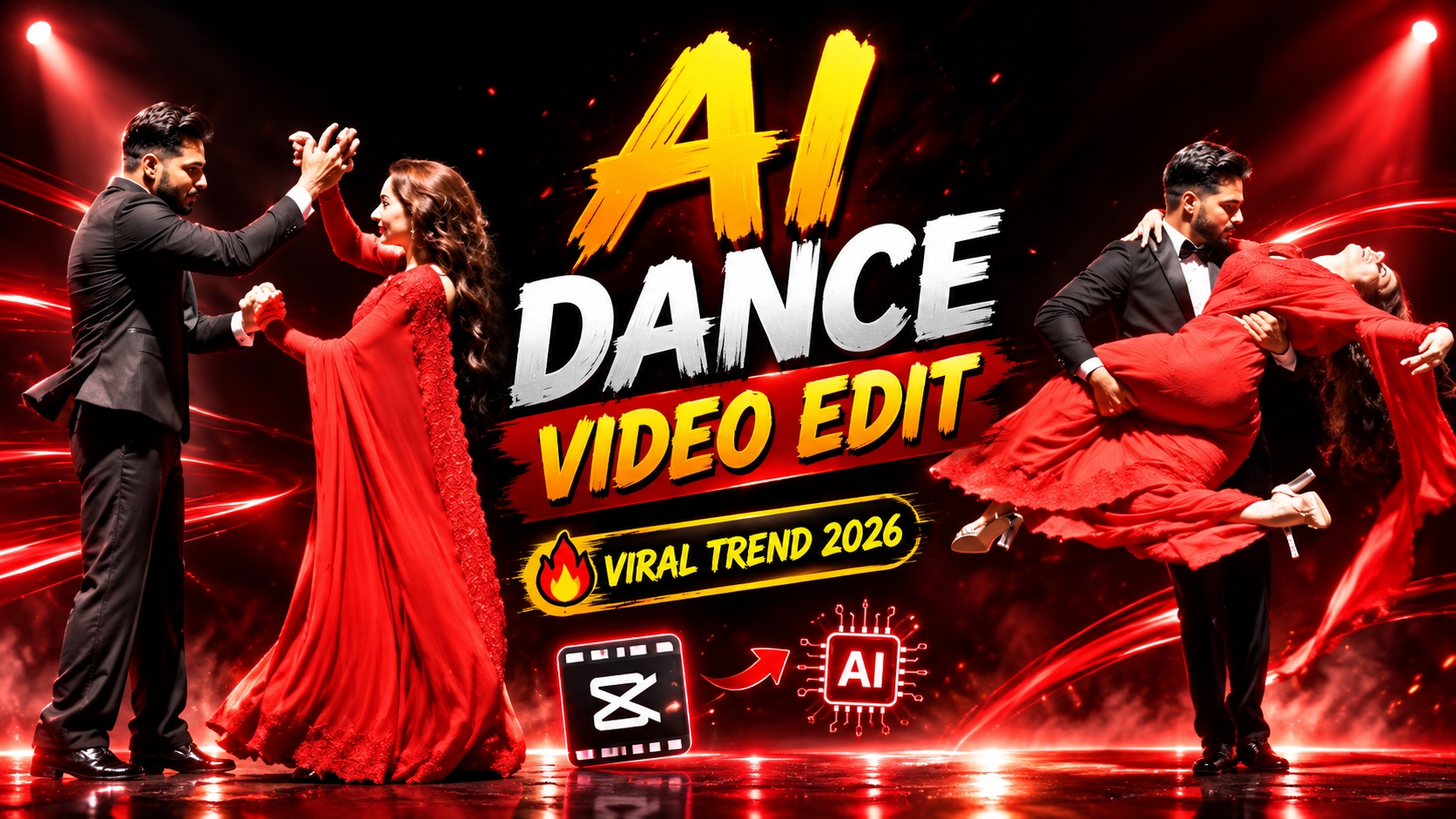
Social media platforms jaise Instagram Reels, YouTube Shorts, aur Facebook par visual trends roz badalte hain, lekin cinematic romance aur Bollywood aesthetics ka craze hamesha top par rehta hai. Saal 2026 mein artificial intelligence video generation ke naye tools ne content creation ko bilkul aasan bana diya hai. In dino Shah Rukh Khan Girl & Couple AI Dance Video Editing Prompt sabse bada viral trend ban chuka hai.
Internet par log Shah Rukh Khan ke classic romantic ballroom dance, dramatic stage spotlight, aur expressive slow-motion choreographies ko AI ki madad se recreate kar rahe hain. Sabse kamaal ki baat yeh hai ki isme aap kisi random model ke bajaye apni aur apne partner ki real photos use karke exact face likeness ke sath Bollywood-level cinematic dance video generate kar sakte hain. Agar aap ek beginner hain aur bina kisi technical jhanjhat ke aisi viral reel banana chahte hain, toh yeh complete step-by-step master guide aapke liye hai.
What Is Shah Rukh Khan Girl & Couple AI Dance Trend?
Yeh viral trend ek ultra-realistic, theatrical-style dance video generation concept hai. Isme ek young boy aur ek girl circular wooden stage par dim-lit single spotlight ke neeche expressive couple dance perform karte hue dikhayi dete hain.
Is pure style ki vibe Shah Rukh Khan ki superhit romantic movies ke iconic dance moments jaisi hoti hai—jisme dramatic turns, smooth lifts, graceful hand-holding poses, aur intense emotional facial expressions shamil hote hain.
AI engine is video ko generate karne ke liye users ki upload ki gayi do alag-alag photos ko deeply analyse karta hai aur dono logon ke exact facial features, skin tones, aur body structure ko frame-to-frame bina kisi visual error ke render karta hai.
Why Is This AI Couple Dance Concept Going Extremely Viral?
Video platforms par is tarah ke content ko massive organic reach mil rahi hai. Iske viral hone ke peeche kuch key reasons hain:
High Emotional Engagement: Bollywood-style romantic dance track ke saath jab theatrical spotlight aur aesthetic outfits mix hote hain, toh audience video ko pura dekhti hai, jisse watch time aur retention dono boost hote hain.
Hyper-Realistic Face Consistency: Purane AI tools mein fast movement ke waqt chehra badal jata tha ya morph ho jata tha. Lekin naye prompts aur advanced AI engines ki wajah se face 100% same rehta hai.
Zero Budget Professional Production: Ek aam creator ko aisa set design karne, theatrical lighting lagane, aur camera rent karne ke liye hazaron rupaye chahiye hote hain—AI se yeh output zero cost par smartphone se hi taiyar ho jata hai.
Where to Get the Viral Video Editing Prompt: royeditz.in
AI video generator ka pura magic prompt par depend karta hai. Agar aapka text instruction detailed aur properly structured nahi hoga, toh AI video mein glitches ya unnatural movements create kar dega.
Is viral dance trend ka exact master prompt copy karne ke liye official platform royeditz.in sabse trusted source hai.
Steps to Find the Prompt on royeditz.in:-
Apne mobile ya computer ke kisi bhi web browser mein royeditz.in search karein.
Website ke homepage par search bar mein type karein: Shah Rukh Khan Girl & Couple AI Dance Video Editing Prompt.
Article ko open karein aur scroll karke main text prompt section par jayein.
Diye gaye pure text ko select karke copy kar lein taaki aap ise seedhe AI tool mein paste kar sakein.
Detailed Master Prompt for Viral AI Dance Video
Aapko niche diye gaye detailed prompt text ko copy karke directly use karna hai. Yeh prompt high-definition lighting, camera motion, aur 100% identity locking ke liye carefully plan kiya gaya hai:
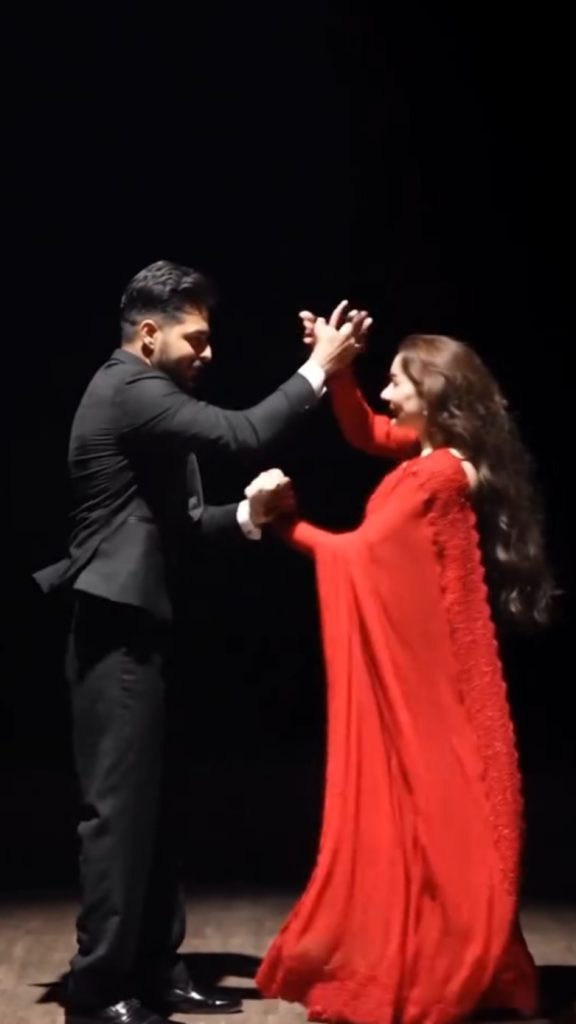
A cinematic ultra-realistic 4K/8K video (9:16) of a young man wearing a black textured blazer over a black button-down shirt and black trousers, barefoot, and a young woman with long open flowing hair wearing a teal-green long coat, a blue-and-grey striped scarf, black trousers, and beige ankle boots, performing an emotional expressive dance together on a dimly lit circular wooden stage, dramatic single spotlight illuminating them from above against a deep black background, theatrical premium cinematic look with rich full color grading — warm skin tones, deep blacks, and glowing blue-white stage light, not desaturated or dull, smooth fluid slow-motion quality throughout every movement. A small, subtle watermark reading ‘NoorEditing07’ stays fixed in the bottom corner throughout the entire video, minimal white or light-colored font, low opacity, appearing only once at all times. CRITICAL: use the two uploaded reference photos as the exact identity source for each person — any person and any woman can upload their own individual reference photos to generate this video with their own likeness. Same faces, same exact facial features, same exact bone structure, same natural smooth clear skin with no blemishes or texture flaws, and the exact same body types and builds as shown in the uploaded photos, maintained precisely and identically in every single scene with absolutely zero facial drift, zero identity change, and zero morphing between scenes for either person. The face of each person must remain exactly the same from Scene 1 through Scene 7, never shifting, blending, or turning into a different-looking face at any point, even during fast movement, spins, or lifts. This must work accurately for any two people of any age or body type who upload their own reference photos — the generated faces, skin, and bodies must always match the uploaded photos exactly, never generic or different faces. Scene 1: Wide shot — they hold hands and walk together smoothly onto the center of the dimly lit stage, her long hair flowing naturally over her shoulders, a single spotlight glowing above them, warm intimate connection, deep black backdrop, gentle unhurried pacing. Scene 2: Medium shot — they stand facing each other, hands clasped together, gazing warmly into each other’s eyes, her hair softly framing her face, soft spotlight illuminating their faces against the dark stage, calm smooth stillness. Scene 3: Wide shot — they raise their joined hands together in a smooth joyful gesture, both smiling, spotlight glowing warmly above them, her hair catching the light, fluid graceful motion. Scene 4: Dynamic full-body wide shot — he holds her close and smoothly lifts her as he spins her in one continuous fluid full 360-degree rotation around himself, her long open hair flying outward and swirling gracefully with the full turn, her teal coat and scarf flaring outward at the same time, her feet lifting off the ground as she completes the entire seamless circular rotation around him, both moving in perfect fluid sync on the wooden stage, camera smoothly circling to capture the complete 360-degree spin without any jarring motion. Scene 5: Wide shot — they stand with arms spread wide apart while holding hands, leaning back smoothly in a joyful, free-spirited pose, her hair gently flowing with the motion, warm spotlight glowing above them. Scene 6: Dramatic wide shot — he smoothly dips her gently backward in a graceful classic dance dip, her long hair cascading downward toward the floor as she leans back, one of her legs lifting gracefully off the ground with her boot pointed, her coat draping elegantly as he supports her fully with both arms in one fluid controlled motion, intimate romantic moment under the spotlight, then he smoothly and gently lifts her back upright.Scene 7: Final emotional shot — he smoothly lifts her fully off the ground into his arms, cradling her securely, and rotates in one continuous fluid full 360-degree turn while carrying her, her hair and coat both flying outward gracefully throughout the entire seamless rotation, her legs lifting gracefully with the spin, both smiling warmly at each other, then as the rotation completes he gently and smoothly lowers her into a warm close embrace, her hair settling softly around her shoulders as they hug, one foot lifted off the ground, spotlight glowing softly around them, cinematic slow zoom-out to finish. Overall style: same faces, same identities, same natural smooth skin, same exact body types for both people as shown in their uploaded reference photos, same black blazer-and-trousers outfit for him and teal-green coat with scarf and long open flowing hair for her consistent in every single scene, no outfit change, no identity, body, or facial change for either person in any scene, same real dimly lit circular stage location with dramatic spotlight throughout, smooth fluid graceful full-body dance movement including full seamless 360-degree spins, twirls, dips, and lifts exactly matching an expressive live dance performance, with her hair and coat both dynamically flying and flowing gracefully during every turn and spin, no jerky or abrupt motion anywhere, realistic skin and fabric texture, rich full premium cinematic color grading with warm tones, deep blacks, and glowing spotlight highlights — full natural color, not faded or desaturated — filmic depth and contrast, smooth cinematic transitions between poses, ultra-realistic premium 4K/8K quality, vertical 9:16 format, continuous emotional story flow from start to end, no scene skipped, only 7 scenes total exactly as described.
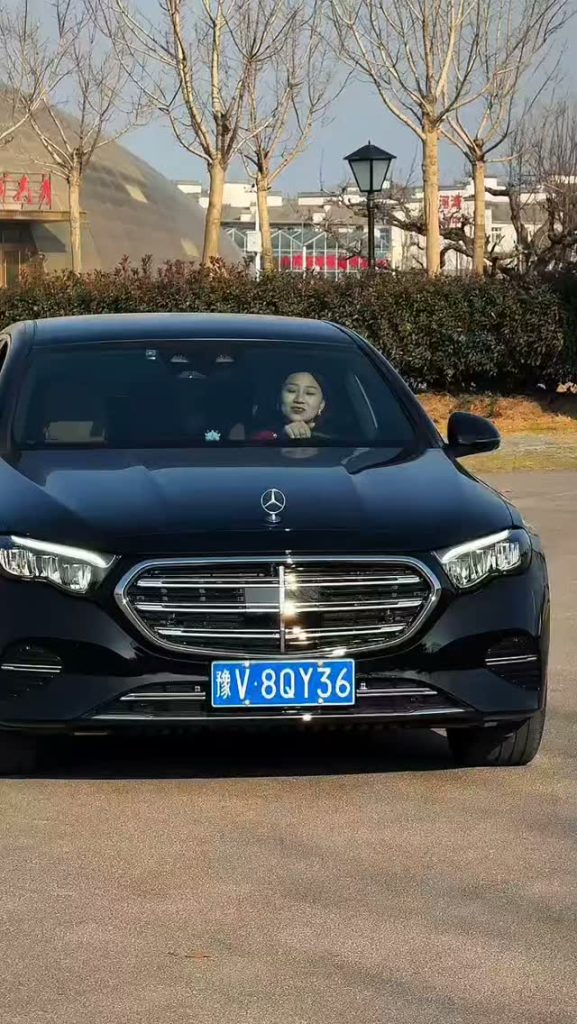
Create an ultra-realistic cinematic video of the same young man sitting naturally in the driver's seat of a black luxury Mercedes car. Keep his face exactly consistent with the reference photo, including facial features, hairstyle, skin tone and light beard. He looks naturally toward the side, smiles slightly, then looks forward while keeping one hand naturally on the steering wheel. Realistic human movement, natural blinking, subtle head movement and breathing. Show authentic car interior, steering wheel and dashboard. Camera slowly moves from a close front windshield view toward a slightly closer side angle. Realistic windshield reflections and tinted glass, natural daylight, accurate shadows, realistic skin texture, shallow depth of field, cinematic color grading, 4K, highly photorealistic, no face distortion, no extra fingers, no warped hands, no artificial-looking face. Match the reference video's camera movement, framing, lighting, pacing and natural facial expressions. Make it look like a real camera-recorded video, not Al-generated.
Step-by-Step Tutorial: How to Create This Video on Google Flow AI
Ab aate hain execution process par. Google Flow AI platform ka use karke is video ko generate karne ka complete tarika yahan bataya gaya hai:
Step 1: Open Google Flow AI Platform
Sabse pehle apne smartphone ya PC ke browser mein Google Flow AI open karein aur apne account se sign-in complete kar lein.
Step 2: Create a New Project
Tool open hone par dashboard ke centre mein New project ka option dikhega. Us par click karein taaki ek naya timeline workspace ready ho sake.
Step 3: Select Both Reference Photos
Workspace par aate hi niche Plus icon par click karein aur apni gallery open karein. Yahan aapko do clear photos select karni hain—ek Boy ki aur ek Girl ki.
Photo Quality Rule: Dono photos front-facing honi chahiye aur unpar clear lighting honi chahiye. Goggles, masks, ya heavy filters wali photos avoid karein taaki AI facial geometry ko accurately recognise
Step 4: Paste Prompt from royeditz.in
Photos upload hote hi niche prompt box What do you want to create? open hoga. Yahan par royeditz.se copy kiya gaya master prompt paste kar dein.
Step 5: Adjust Essential Generation Settings
Prompt box ke paas settings icon par tap karein aur yeh specific options select karein:
Output Format: Video select karein.
Aspect Ratio: 9:16 choose karein, jo Instagram Reels aur Shorts ke liye perfect vertical ratio hai.
Resolution: 720p ya 1080p set karein.
Duration: 10s select karein taaki ek smooth slow-motion sequence generate ho sake.
Model Engine: Latest Omni 1.1 Flash engine choose karein fast processing ke liye.
Step 6: Generate and Download
Sabhi settings verify karne ke baad arrow ya Send button par click karein. AI thoda time lega aur video rendering start hogi. 100% complete hote hi screen par high-definition video show ho jayegi. Play karke movements check karein aur Download icon se video apne device mein save kar lein.
How to Customise Characters, Outfits, and Ambience
Agar aap standard prompt mein thoda personal touch add karna chahte hain, toh prompt ke specific keywords ko easily replace kar sakte hain:
Outfits Customisation: Agar aapko Western attire ke bajaye traditional Bollywood touch chahiye, toh prompt mein jahan blazer aur coat likha hai, wahan deep red silk saree aur traditional black sherwani likhein.
Lighting Variations: Single spotlight ke sath thoda dream-like effect lane ke liye prompt mein soft golden stage illumination with floating warm dust particles add kar sakte hain.
Stage Environment: Wooden stage ke jagah glossy reflective black floor ya gentle misty rain effect mention karke video ko aur dramatic banaya ja sakta hai.
Professional Post-Production: Adding Music and Enhancements
AI tool se raw video download karne ke baad agar aap 2 minute ka post-editing touch de dete hain, toh aapki reel instantly professional film cut jaisi dikhne lagti hai:
Audio Syncing: Kisi bhi popular video editor (VN Editor ya CapCut) mein video import karein. Trending romantic Bollywood track background mein lagayein. Gaane ke romantic beat drop par dance ke main spin ya dip movement ko cut karke match karein.
Subtle Motion Blur: Video settings mein jakar subtle motion blur apply karein. Isse AI dance turns ekdum natural aur fluid dikhte hain.
Colour Contrast Boost: Video ke basic adjustment tab mein jakar Contrast (+5) aur Sharpness (+10) halka sa badhayein taaki stage lighting aur outfits ke textures aur zyada pop karein.
Bonus Editing Tip: Zero Facial Drift Secret
AI video generation mein sabse badi challenge hoti hai Facial Drift, yaani tezi se ghoomte waqt character ka chehra badal jana.
Is glitch se bachne ke liye do rules follow karein:
Reference photo hamesha eye-level par li gayi clear portrait honi chahiye, jisme camera angle bilkul seedha ho.
Prompt mein diye gaye critical section ko bilkul delete mat karein, jisme likha hai: CRITICAL: use the two uploaded reference photos as the exact identity source… zero facial drift, zero identity change, zero morphing between scenes. Yeh system-level priority instruction hoti hai jo AI ko strictly aapki photo par stick rehne par majboor karti hai.
Conclusion
Shah Rukh Khan Girl & Couple AI Dance Video Trend 2026 aaj ke waqt mein short-form content creators ke liye viral hone ka golden opportunity hai. royeditz.in se prompt copy karke, clean reference images ke sath Google Flow AI par sahi settings apply karke aap kuch hi minutes mein high-quality cinematic reels ready kar sakte hain. Aaj hi ise try karein, apna personal touch add karein, aur apni video editing skills ko naye level par lekar jayein.