Spotify Aesthetic Photo Editing Prompt 2026 – Roy Editz
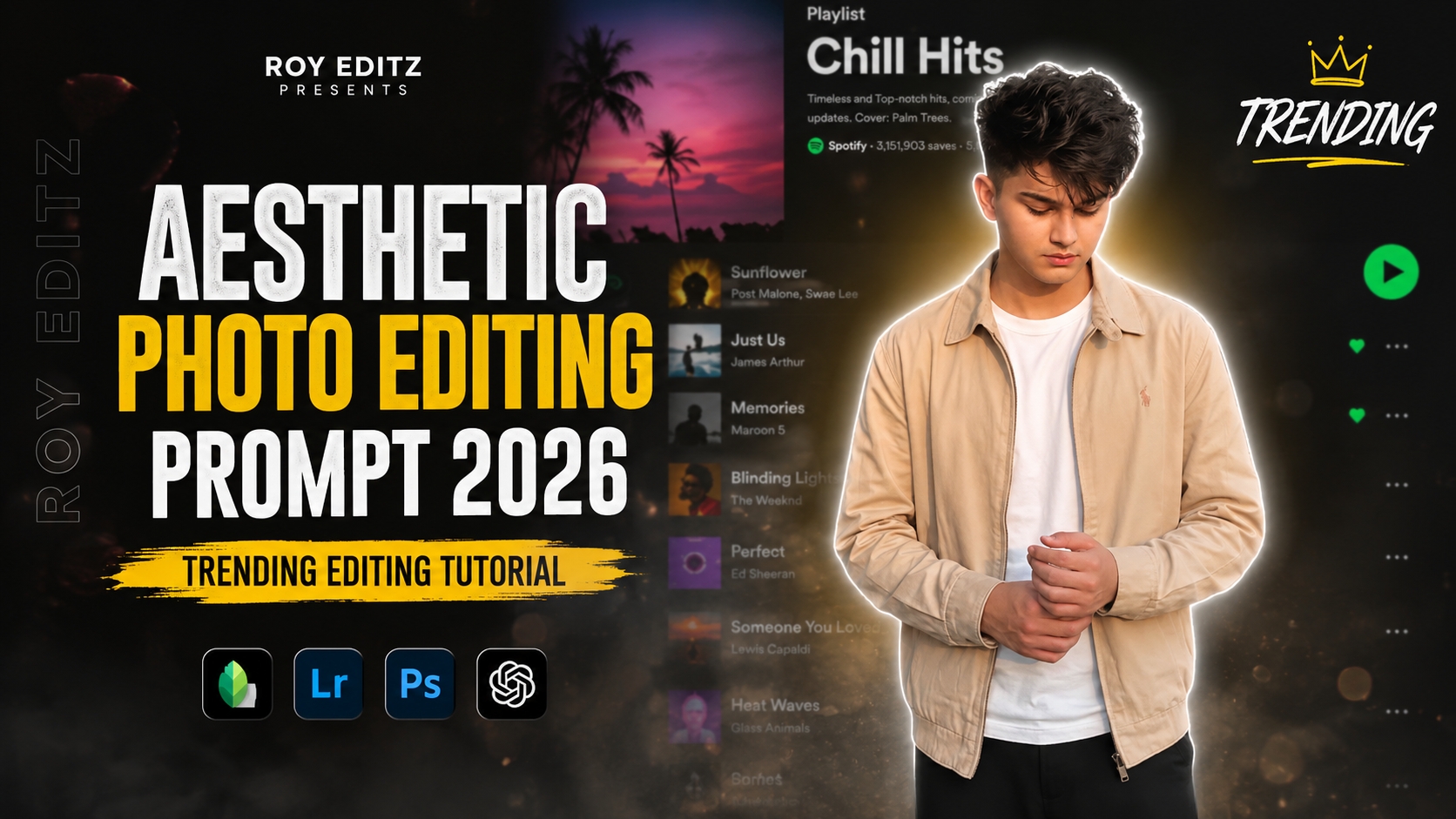
Aaj kal social media platforms jaise Instagram, Pinterest aur Facebook par Spotify aesthetic photo editing ka ek alag hi craze chal raha hai. Har koi apni simple photo ko ek stylish dark-mode music player interface, glowing sticker outlines, aur compact emoji crowns ke saath modify karke viral content create karna chahta hai.Lekin kya aapko pata hai ki bina kisi advanced Photoshop expertise ke aap ChatGPT aur Google Gemini jaise cutting-edge AI tools ka use karke aisi high-end Spotify aesthetic edits kaise bana sakte hain?Iss detailed guide mein, hum seekhenge ki kaise aap Spotify Aesthetic Photo Editing Prompt 2026 – Roy Editz ki help se single-click mein viral-quality Instagram feed posts create kar sakte hain. Chahe aap ek complete beginner ho ya experienced photo editor, yeh step-by-step tutorial aapki Editing Workflow ko super fast aur professional bana dega.
Spotify Aesthetic Photo Editing Trend Kya Hai Aur Yeh Kyun Viral Ho Raha Hai?
Spotify aesthetic editing ek aisa visual art style hai jisme user ki photo ko dark-mode music streaming app interface ke saath blend kiya jata hai. Isme moody lighting, subtle white sticker cutouts, soft neon glows, aur dark blurred music playlists ka combination hota hai.
Iss Trend Ke Main Highlights:
High Visual Engagement: Dark-mode themes viewer ki eyes par soothing lagte hain aur feed scrolling ke waqt attention grab karte hain.
Minimalist & Premium Vibe: Complex graphic elements ke bajaye clean sticker outlines aur small emoji crowns photo ko ek professional Roy Editz style look dete hain.
AI Prompting Power: Pehle jis editing mein Lightricks, PicsArt ya Photoshop par ghanto lagte the, woh ab accurate AI prompts se seconds mein tayyar ho jati hai.
ChatGPT Se Spotify Aesthetic Photo Frame Generate Karne Ka Step-by-Step Process
ChatGPT (DALL-E 3 engine) complex text prompts ko accurately interpret karne mein bohot smart hai. Agar aap chahte hain ki aapki original face identity bina kisi distortion ke exact rahe, toh ChatGPT ka process follow karein.
Step 1: Interface Open Karein
Sabse pehle apne smartphone ya PC mein ChatGPT app ya web portal open karein aur GPT-4o / Image Generation tool select karein.
Step 2: Reference Image Upload Karein
Apni woh photo upload karein jise aap edit karna chahte hain. Dhyaan rakhein ki image ki lighting achhi ho aur face clearly visible ho.
Step 3: First AI Prompt Paste Karein
Niche diye gaye specialised prompt ko copy karke ChatGPT mein paste karein:
Step 4: Fine-Tuning & Export
ChatGPT aapko 4:5 ratio mein ek clean cut-out sticker image dega jisme background par dark-mode Spotify playlist blurred rahegi. Image ko Full HD / 4K mein download kar lein.
Boys’ Copy Prompt’

Use the uploaded image as the ONLY identity reference. Keep the subject’s gender, face, facial structure, hairstyle, skin tone, age, clothing, body proportions, original pose, expression, hand position, camera angle, framing and perspective exactly unchanged. Create a premium Instagram Feed Post (1080×1350, 4:5) with a thin white sticker outline and soft white glow. Add one tiny compact emoji crown (10–12 emojis ) centered in a very tight curved arc, floating just above the hair with a clear small gap, about 15–20 px above the highest point of the hair, matching the reference. Keep the emojis small, closely packed, subtle, and never touching or overlapping the hair, forehead, face, or white outline. Never make the crown wide, oversized or scattered. Use the same clothing, hairstyle and pose. Background: heavily blurred dark-mode mobile music streaming app playlist with a premium cinematic look.
Google Gemini Se High-Precision Character Refinements Banane Ka Process
Google Gemini advanced vision analysis ke mamle mein bohot powerful hai. Agar aapko female subject ke facial details, hair texture aur precise emoji crown placement mein zero error chahiye, toh Google Gemini sabse best outcome deta hai.
Step 1: Gemini Vision Open Karein
Apne browser mein Google Gemini open karein aur image attachment icon par click karke apni original picture select karein.
Step 2: Second Refined Prompt Enter Karein
Photo attach karne ke baad, niche diye gaye detailed prompt ko prompt box mein enter karein
Girls’ Copy Prompt’
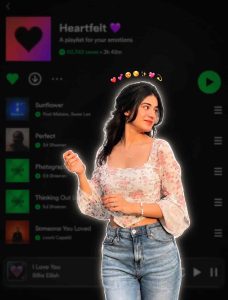
Use the uploaded image as the ONLY identity reference. Keep the subject's gender (female), face, facial structure, hairstyle, skin tone, age, clothing, body proportions, original pose, expression, hand position, camera angle, framing, and perspective exactly unchanged. Do NOT modify, beautify, stylize, or reinterpret any facial features. Create a premium Instagram Feed Post (1080×1350, 4:5) with a thin white sticker outline around the subject and a soft white glow. Add one tiny compact emoji crown (10–12 emojis: ) centered in a very tight curved arc, floating just above the hair with a clear small gap, approximately 15–20 px above the highest point of the hair, matching the reference. Keep the emojis small, closely packed, elegant, and subtle, ensuring they never touch or overlap the hair, forehead, face, or white outline. The crown must never be wide, oversized, or scattered. Keep the same clothing, hairstyle, pose, expression, and composition as the original image. Background: a heavily blurred dark-mode mo
Step 3: Variation Selection
Google Gemini Se High-Precision Character Refinements Banane Ka Process
Google Gemini advanced vision analysis ke mamle mein bohot powerful hai. Agar aapko female subject ke facial details, hair texture aur precise emoji crown placement mein zero error chahiye, toh Google Gemini sabse best outcome deta hai.
Post-Production Editing: Lightroom & PicsArt Polish Guide
AI se photo generate hone ke baad, agar aap usme thoda sa personal Roy Editz signature style touch add kar denge, toh aapki photo 10x zyada eye-catching lagegi.
1. Adobe Lightroom Colour Grading
Contrast: +8% increase karein darks ko deeper banane ke liye.
Highlights: -15% reduce karein taaki sticker outline ki white glow overexpose na lage.
Shadows: +5% boost karein details retain karne ke liye.
Clarity & Texture: Clarity ko +10% aur Texture ko +5% par set karein sharp look ke liye.
2. PicsArt / Canva Overlay Customisation
Agar aap Spotify UI ke specific elements jaise Play/Pause buttons, Song Title, ya Time Duration bar add karna chahte hain, toh Lightroom se exported photo ko PicsArt mein open karein.
Ek transparent PNG Spotify UI overlay add karein aur blend mode ko Screen ya Lighten par set karein.
Opacity ko 85% par adjust karein taaki overall dark
Creative Editing Workflow Strategy For Viral Reach
Aesthetic photo edit karne ke baad use social media par publish karne ka bhi ek tarika hota hai:
Sound Matching: Jab bhi Spotify aesthetic photo Instagram par post karein, toh background mein hamesha Trending Lofi, Slowed & Reverb, ya Instrumental music add karein.
Colour Consistency: Apne Instagram profile grid ke liye hamesha ek consistent dark aesthetic colour palette maintain karein. Isse aapke account ka conversion rate aur follower growth badhta hai.
Aesthetic Captions: Long boring descriptions ke bajaye minimalist Roman Hindi quotes ya song lyrics ka use karein.
Bonus Tip: Professional Editor’s Glow Effect Hack
Pro Editing Trick:
AI se generated image mein white sticker outline ko aur real DSLR glow dene ke liye, Lightroom mein Radial Masking Tool select karein. Subject ke peeche ek chota oval mask banayein aur Dehaze (-10) aur Exposure (+0.30) increase karein. Isse aapki photo mein ek hyper-realistic 3D pop-out look create ho jayega jo normal edits mein nahi milta!
Smart Alternatives To Elevate Your Spotify Edits
Agar aap AI prompts ke alawa manual editing apps prefer karte hain, toh yeh workflow options try kar sakte hain:
Lightroom Presets: Dark Moody ya Cyberpunk Lightroom Presets (.dng files) ka use karke base photo ko tonal balance dein.
CapCut Frame Captures: Spotify music overlay ki 4K screen recording karke use photo ke background mein Opacity Blend ke saath merge karein.
Phonto App: Song title aur artist name ke liye clean aesthetic fonts jaise Helvetica Bold ya Circular Std manually type karein.
Conclusion
Spotify Aesthetic Photo Editing Prompt 2026 – Roy Editz ka use karke high-quality aesthetic posts banana ab pehle se zyada easy aur fast ho gaya hai. ChatGPT aur Google Gemini ke provided prompts aapko bina kisi complex manual masking ke exact 4K output dete hain. In prompts ko copy karein, apni favourite photo par try karein, aur apni social media profile ko ek pro-level aesthetic upgrade dein! Practice karte rahein aur apne creative workflow ko polish karte rahein.